


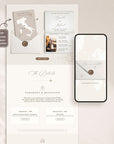

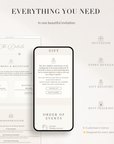
SOFIA Passport Style Online Digital Wedding Invitation with RSVP
✓ Instant delivery ✓ Easy Canva editing
✓ RSVP included ✓ 4.9★ 700+ customers
View the Live Demo
→ Preview the online invitation
Modern Digital Wedding Invitation with RSVP
A stylish and effortless way to invite your guests online. Customize your design in Canva, share your invitation link instantly, and collect RSVPs through Creativite, our own RSVP system with support for multiple events and open or restricted guest lists. Perfect for modern weddings and destination celebrations.
- Easy to Personalize
Edit your invitation in Canva using a free account — no design experience needed. - Send Instantly
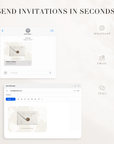
Share your invitation link by text, WhatsApp or email in minutes. - Smart RSVP with Creativite
Collect guest responses, meal choices, and event RSVPs — all through Creativite, your own RSVP dashboard. - Multiple Events & Guest Control
Run RSVPs for your ceremony, reception, and rehearsal dinner separately, and choose open or restricted guest lists to control who can respond. - Update Anytime
Need to change details later? Simply update your invitation without changing the link. - Perfect for Destination Weddings
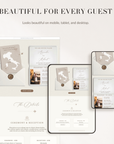
Keep guests informed with travel details, schedules, accommodation info, and more. - Mobile-Friendly Design
Your invitation looks beautiful on phones, tablets, and desktop devices.
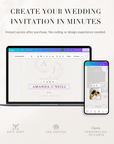
This template is fully editable in Canva using a free account, making it simple to create an invitation that feels beautifully personal to your wedding.
You can easily:
- Edit names, dates, and wording
- Add your own photos or remove them entirely
- Change text and section colors
- Rearrange or remove sections
- Update buttons and links
- Add RSVP, registry, accommodation, or travel details
No design experience needed — just edit, save, and share.
Please Note – Certain decorative artwork and illustrated elements are intentionally fixed to maintain the signature design style of the invitation.
- Editable digital wedding invitation template
- Easy editing in Canva using a free account
- Mobile-friendly online invitation
- Creativite RSVP page integration
- Creativite Online RSVP tracking for guests and events
- Instant access to your Canva template
- Helpful setup instructions
- Friendly support if you need assistance
Please Note – Your RSVP setup email will be sent within 24 hours of purchase.
- Personalize Your Invitation
Edit your template in Canva using a free account — no design experience needed. - Add Your RSVP Page
Connect your Creativite RSVP page to collect guest responses online with ease. - Share With Guests
Share your invitation link however you like — text, WhatsApp or email. - Track Responses
Manage RSVPs, meal selections, and guest details all in one place.
Do I need Canva experience?
No — the template is beginner-friendly and easy to edit using a free Canva account.
How do I share the invitation?
Simply copy your invitation link and share it by text, WhatsApp or email.
Do guests need an app or account?
No — guests can open the invitation and RSVP directly from their device without downloading anything.
Can I collect RSVPs online?
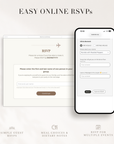
Yes — through Creativite, our own RSVP system (not a generic Google Form or Canva form). You get guest responses, meal choices, and custom questions, all managed in one dashboard.
Can I use this for multiple events or control who can RSVP?
Yes — Creativite lets you set up separate RSVPs for each event (like your ceremony, reception, or rehearsal dinner), and you can choose an open guest list or a restricted one where only invited guests can respond.
Can I update the invitation later?
Yes — you can update your invitation details anytime without changing the link.
Is this suitable for destination weddings?Absolutely — digital invitations are perfect for keeping guests informed about travel, accommodation, schedules, and updates.
What do I receive after purchase?
You’ll receive instant access to your Canva template, plus instructions to set up your RSVP page if included with your order.