


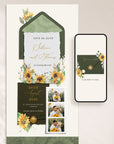

MARISOL Sunflowers Online Digital Save the Date
✓ Instant delivery ✓ Easy Canva editing
✓ Share by link ✓ 4.9★ 700+ customers
View the Live Demo
→ Preview the online save the date
Modern Online Save the Date
A stylish way to announce your wedding online. Edit your template in Canva, add your details and photos, and share your save the date link in minutes.
add RSVP & GUEST TRACKING

A warm and romantic sunflower-inspired save the date designed to celebrate your love story with golden florals, soft greenery, and elegant watercolor details — perfect for rustic weddings, late summer celebrations, and couples who love joyful, nature-inspired romance.
Personalize your save the date in Canva, share your link instantly with guests, and announce your special day in a beautiful, modern, and stress-free way — no printing, postage, or complicated tools needed.
- Easy to Personalize
Edit your invitation in Canva using a free account — no design experience needed. - Send Instantly
Share your invitation link by text, WhatsApp, or email in minutes. - Update Anytime
Need to change details later? Simply update your invitation without changing the link. - Mobile-Friendly Design
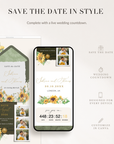
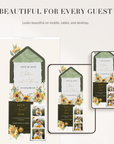
Your invitation looks beautiful on phones, tablets, and desktop devices.
- Editable digital save the date template
- Easy editing in Canva using a free account
- Mobile-friendly online invitation
- Instant access to your Canva template
- Helpful setup instructions
- Friendly support if you need assistance
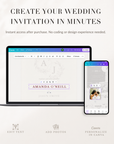
This template is fully editable in Canva using a free account, making it simple to create an invitation that feels beautifully personal to your wedding.
You can easily:
- Edit names, dates, and wording
- Add your own photos or remove them entirely
- Change text and section colors
- Rearrange or remove sections
- Update buttons and links
- Add a countdown timer
No design experience needed — just edit, save, and share.
Please Note – Certain decorative artwork and illustrated elements are intentionally fixed to maintain the signature design style of the invitation.
- Personalize Your Save the Date
Instantly access your template after purchase and easily customize it in Canva — no design experience needed. - Share With Guests
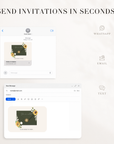
Send your save the date in seconds via text, WhatsApp, or email, and let guests view it beautifully on any device.
Do I need Canva experience?
No — the template is beginner-friendly and easy to edit using a free Canva account.
How do I share the invitation?
Simply copy your invitation link and share it by text, WhatsApp or email.
Can I update the invitation later?
Yes — you can update your invitation details anytime without changing the link.
What do I receive after purchase?
You’ll receive instant access to your Canva template, plus instructions.